This Subnautica 2 Guide details how you unlock the Advanced Battery in Subnautica 2 by finding its fragments and crafting it using materials. The Advanced Battery is a useful upgrade in Subnautica 2 that provides much more power than a standard battery. Once unlocked, it can keep your equipment running for longer periods before needing a recharge.
Advanced Battery Guide – Subnautica 2
To access the Advanced Battery, you will first need to reach the Alien Ruins area. This location becomes available naturally as you follow the main story. The ruins are located roughly 1,300 meters east of the Life Pod and can be used as the starting point for your search.
The nearby Research Outpost serves as a useful landmark while looking for battery scans. Although you require 2 scans for the Advanced Battery to unlock. But several Advanced Battery fragments can be found around this region, so even if one scan doesn’t work, there are other options available nearby.
Fragment Location One
Starting from the Research Outpost, head toward the east at 105 degrees. Continue forward until you reach a small island-type area near the Alien Ruins.
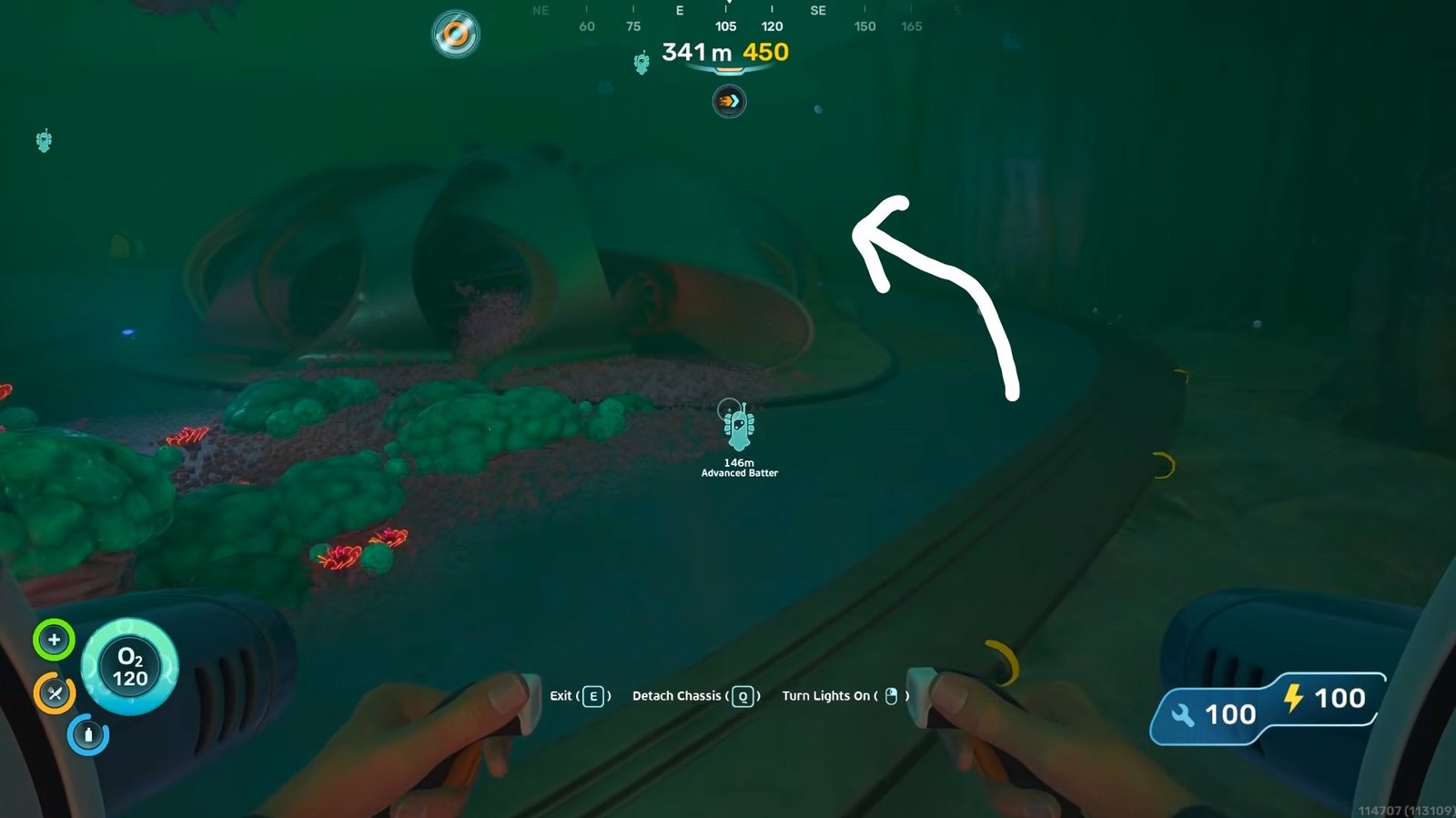
Keep moving again until you reach a large drop-off.
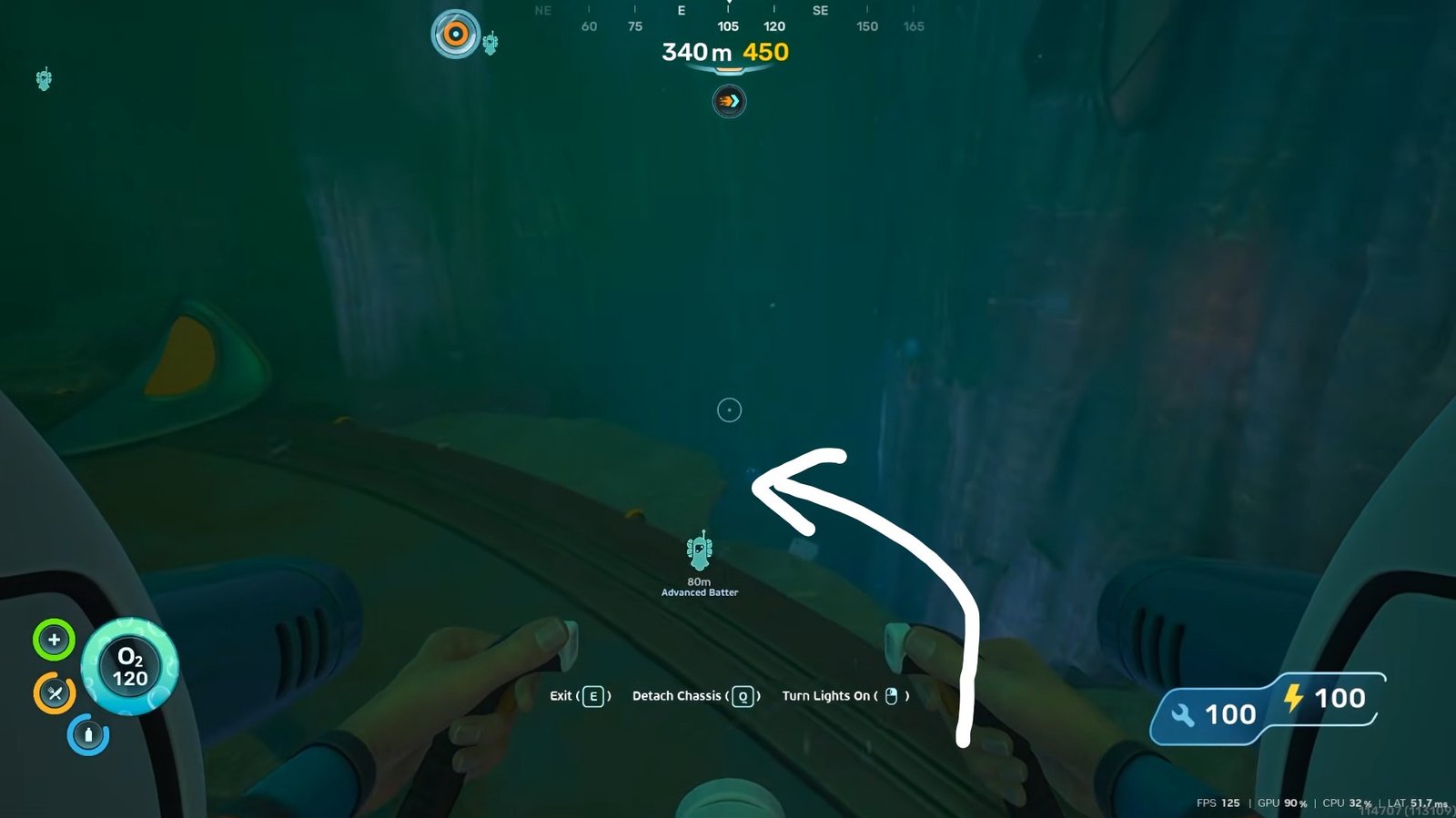
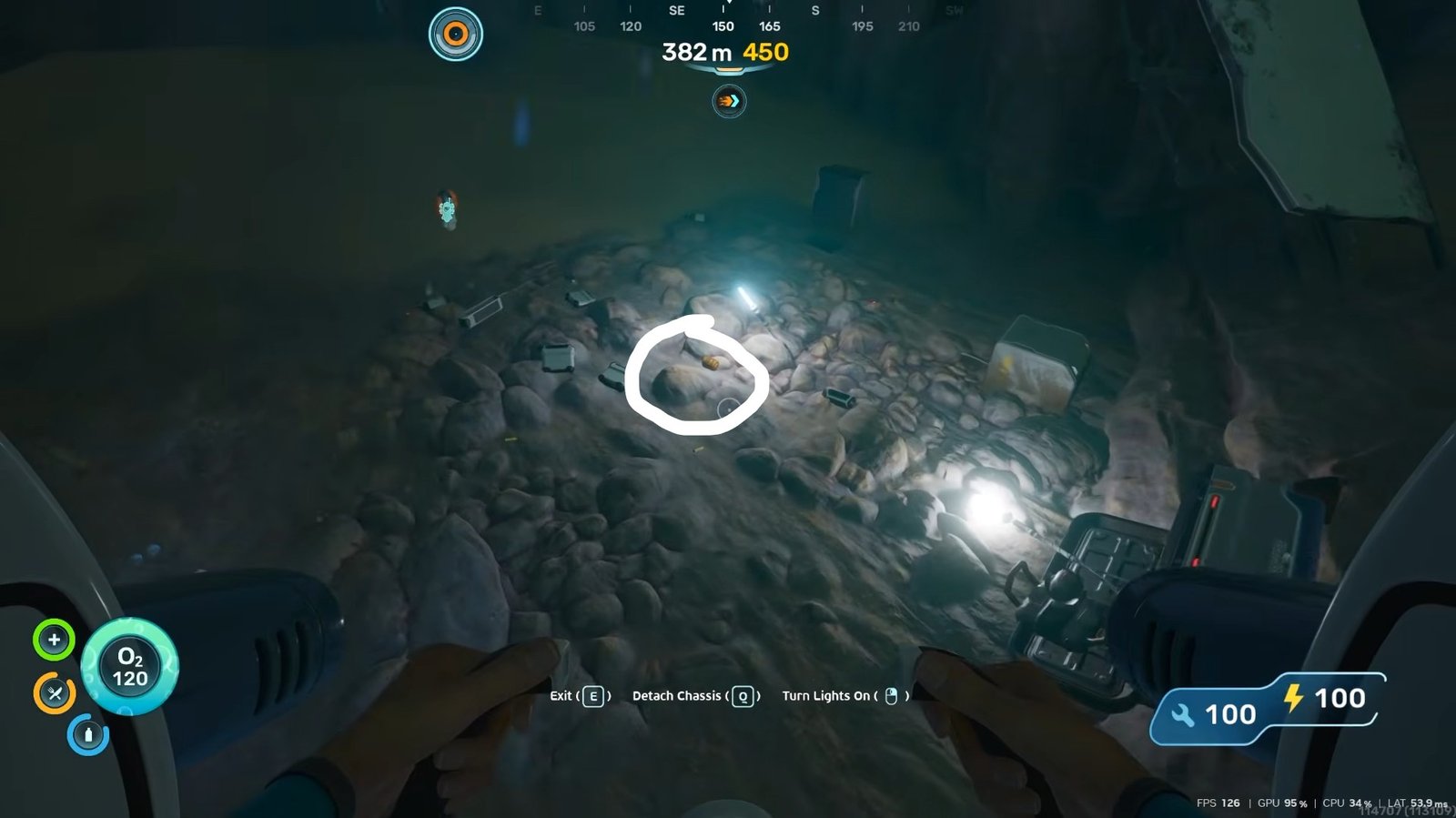
Near the edge, you will notice some wreckage resting below. Close to this wreck is the first Advanced Battery fragment. While this scan location exists, it may not always be interactable, so don’t worry if you are unable to scan it.
Fragment Location Two
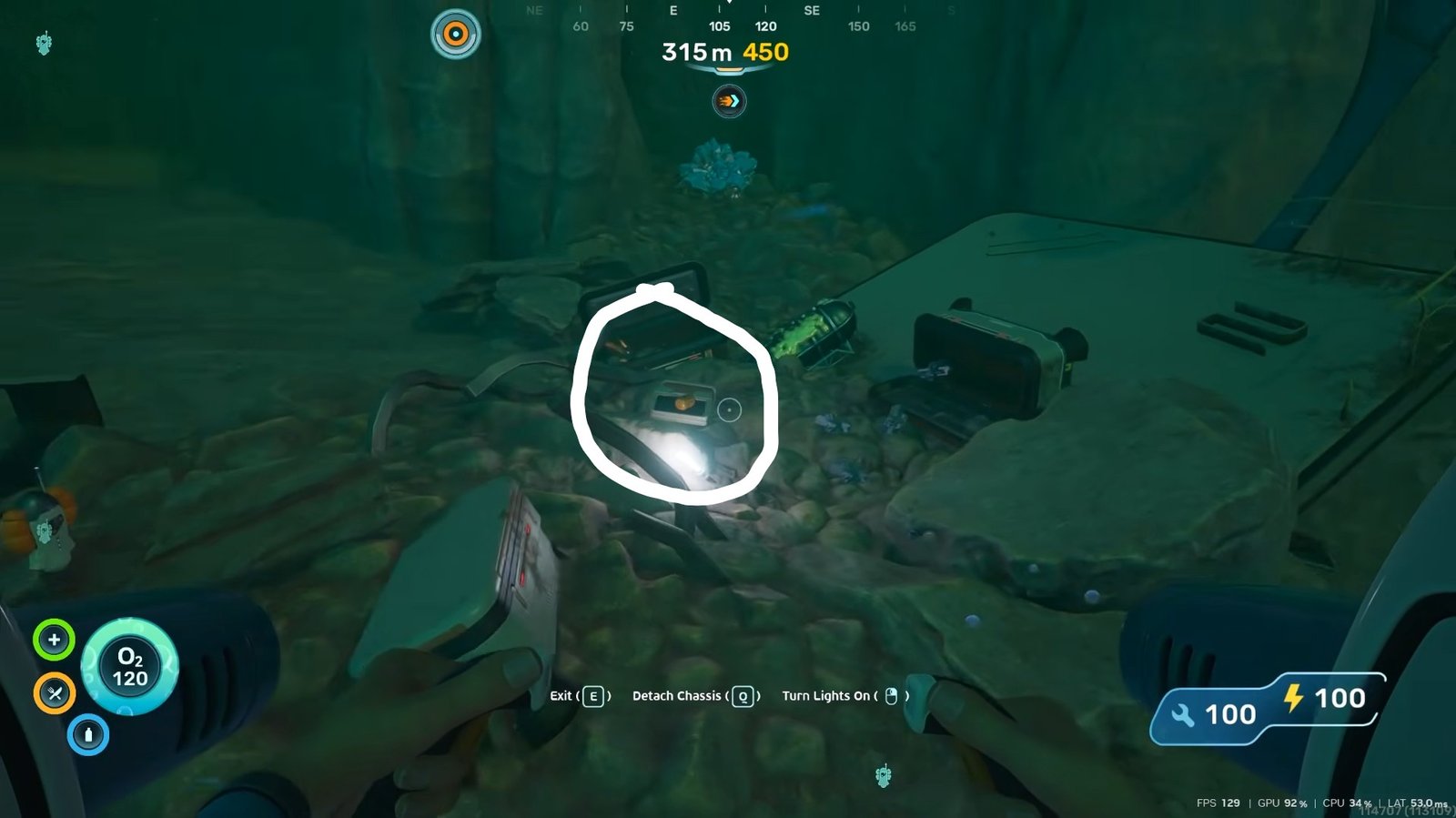
From the first location, move upward to the structure positioned above the wreck area. You will find a small station here and another Advanced Battery fragment nearby. If the first scan was unavailable, this is usually a good alternative and may provide your first successful blueprint scan.
Fragment Location Three
After leaving the station, continue toward the northern side of the area at 15-30 degrees. After a short distance of 351 metres, look for a container or storage box.
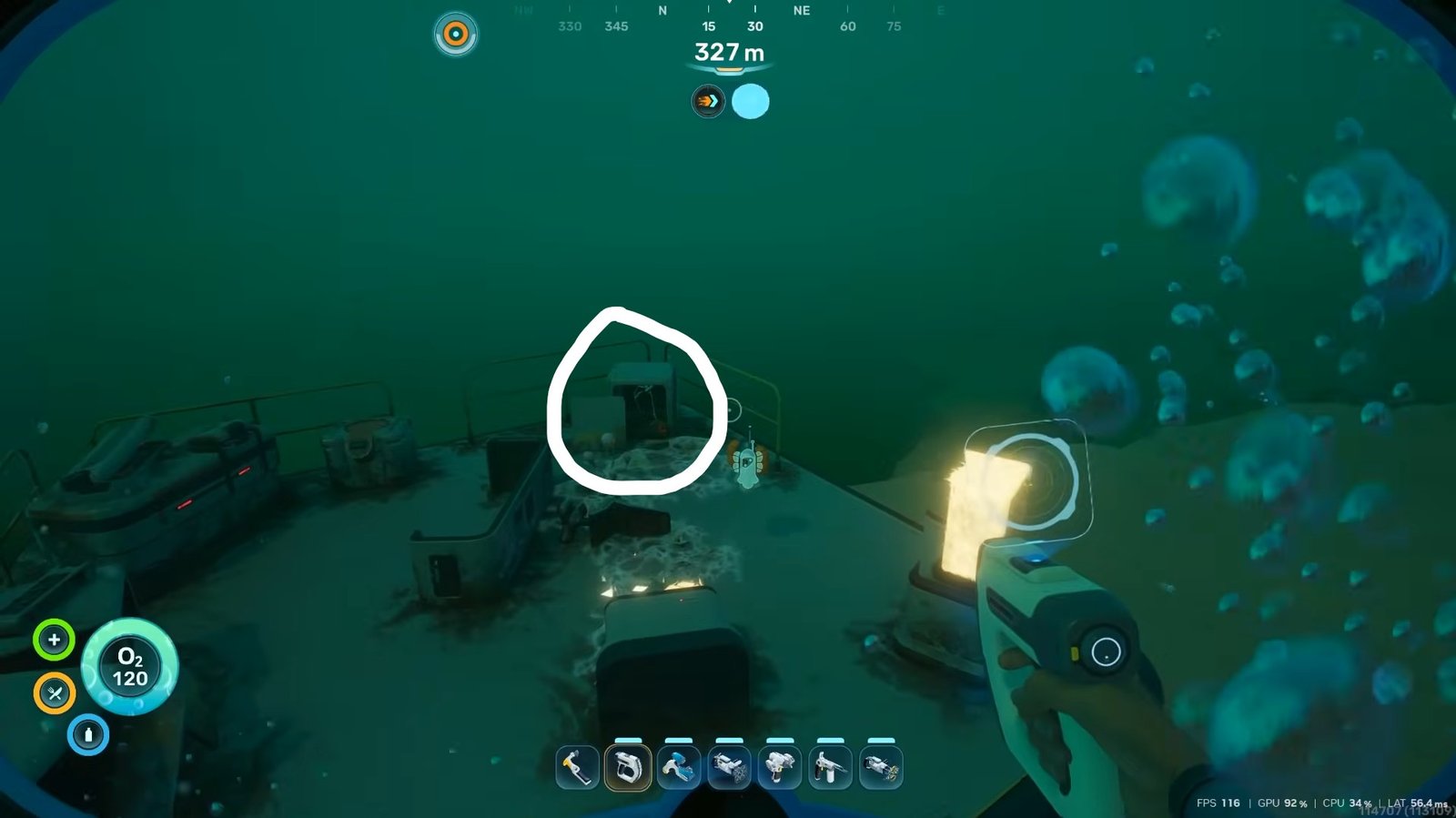
Inside this, you will find another Advanced Battery fragment. This serves as an additional scan opportunity if you still need progress toward unlocking the blueprint.
Fragment Location Four
If you haven’t completed the blueprint yet, there is one final scan location available.
Travel back toward the route leading from the Research Outpost toward the wreck area. You will need to travel 720 metres.
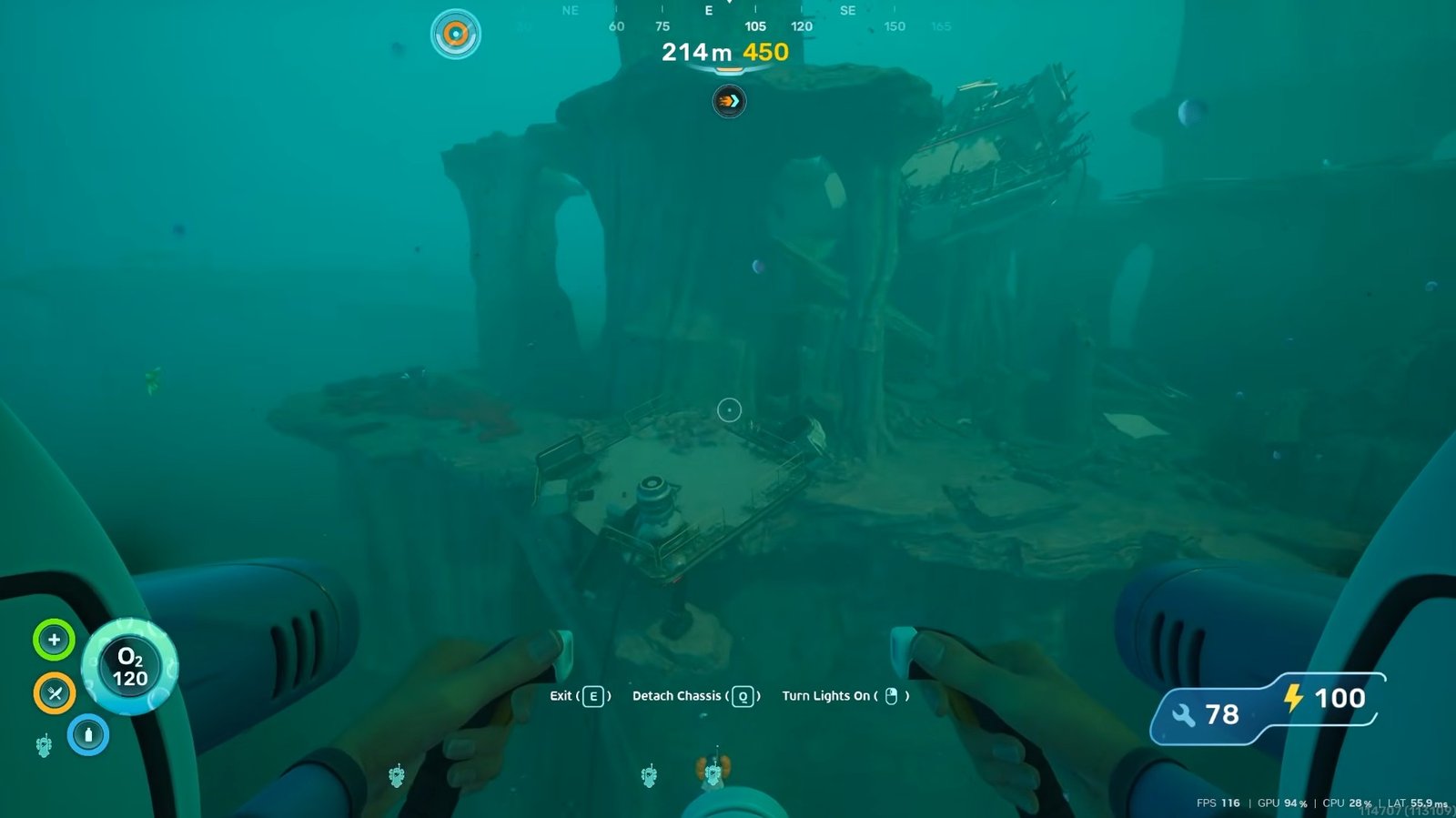
Before reaching the wreck itself, you will come across a platform structure. Another Advanced Battery fragment can be found here, giving you one more chance to finish the unlock process.
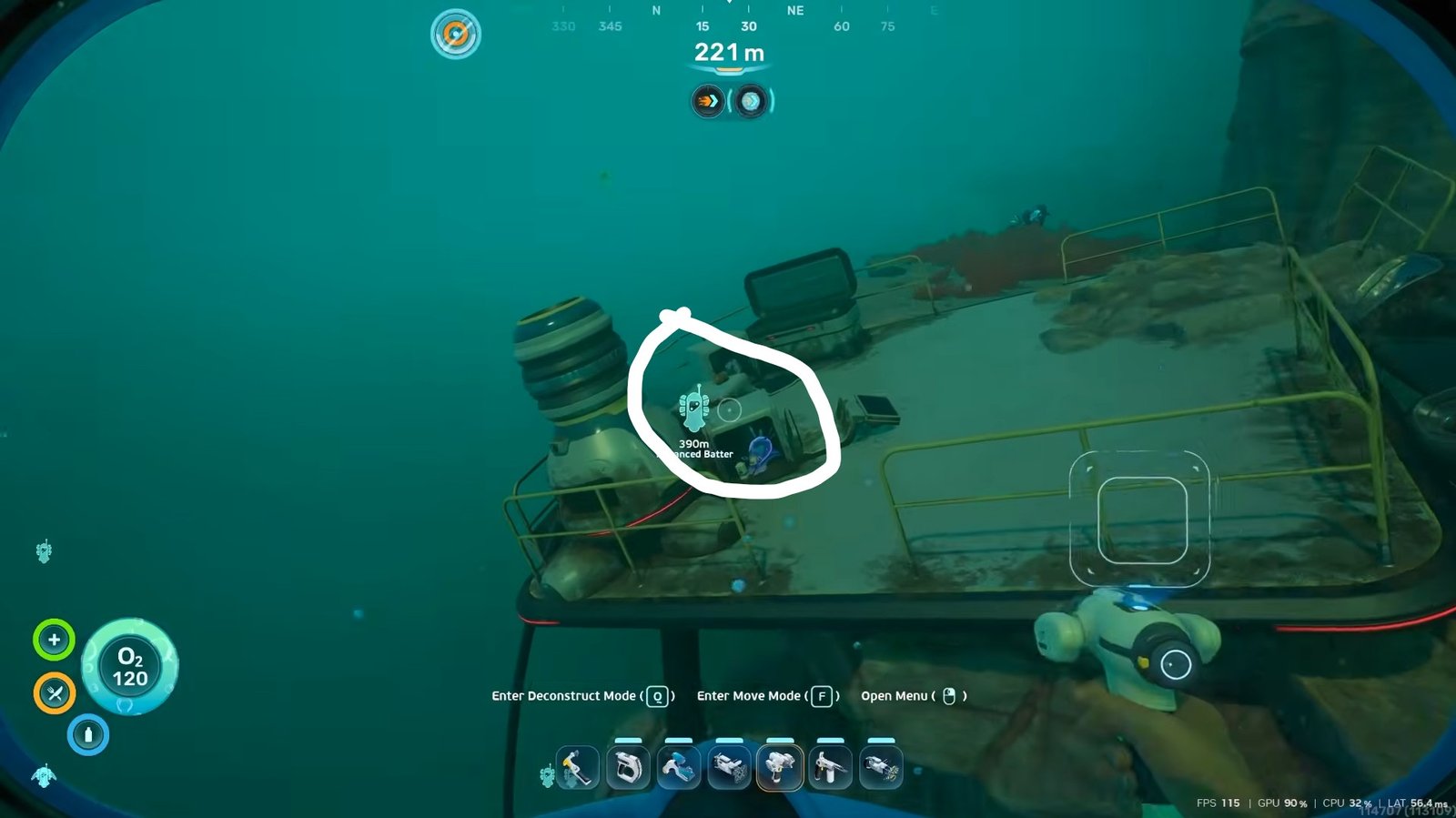
Materials Needed for Crafting
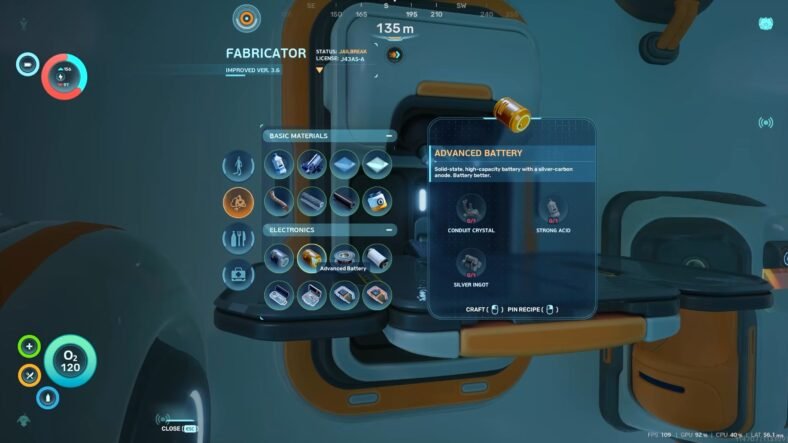
After unlocking the blueprint, you will need three materials to craft an Advanced Battery:
- Conduit Crystal
- Strong Acid
- Silver Ingot
Silver Ingots require both a Processor and Silver to produce. Strong Acid must also be gathered separately before you can begin crafting.
Finding Conduit Crystals
To collect Conduit Crystals, start from the Research Outpost and travel toward the Angel Comb area in the east.
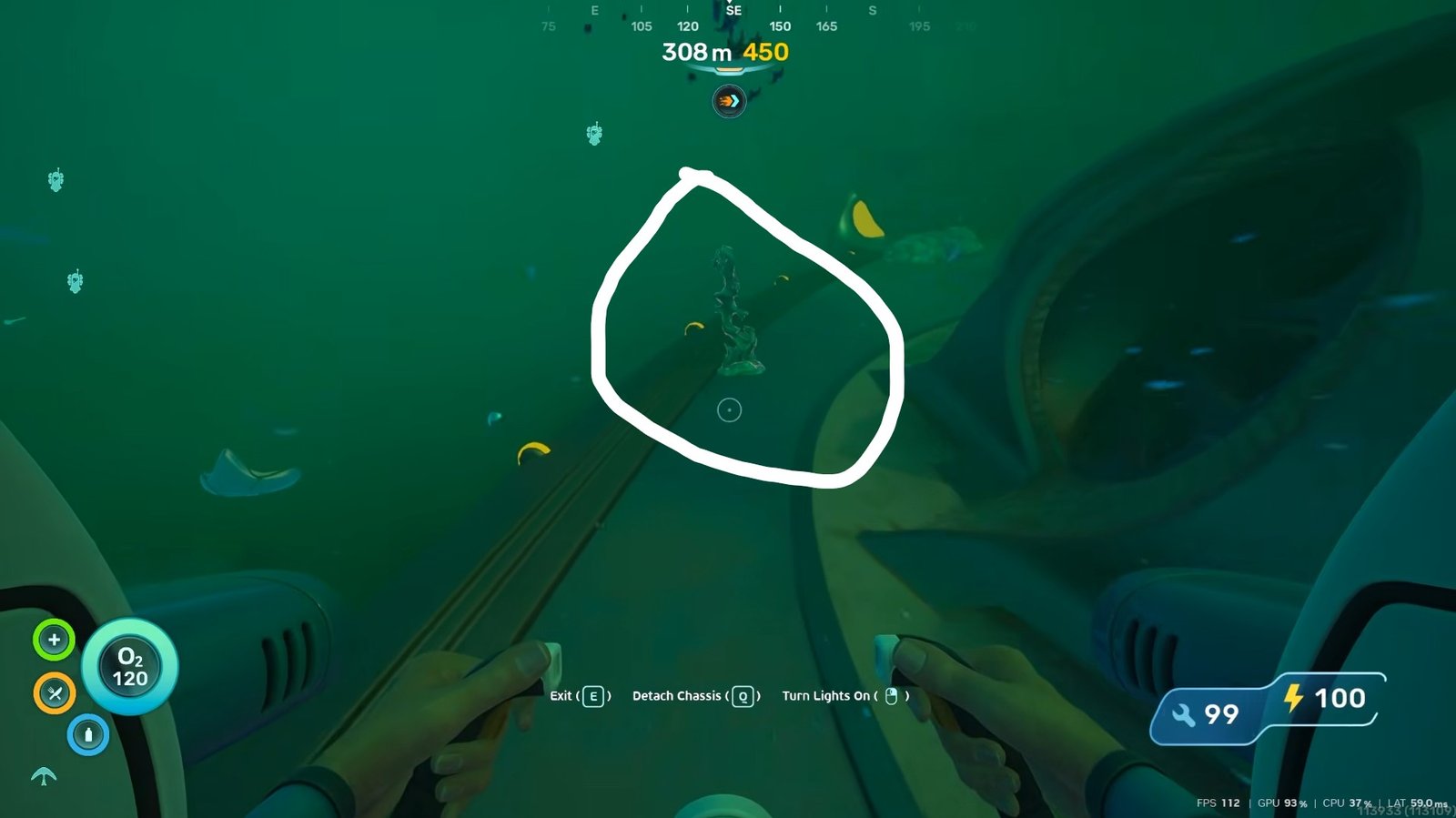
One of the first crystal deposits can be found nearby once you arrive. Additional deposits are located close to each other throughout the area. After collecting the first crystal, continue exploring the nearby southern section and then search the higher areas above for more deposits. A Sonic Resonator is required to break these crystal formations and collect the resource inside.
Crafting the Advanced Battery
Once all required materials have been collected, open the crafting menu and create the Advanced Battery.
This upgraded battery functions exactly like a regular battery but stores significantly more energy. As a result, your tools and equipment can operate for much longer before running out of power.
If you have already built a charging station, the Advanced Battery can also be recharged and reused whenever needed, making it a valuable long-term upgrade. That is all for this guide. Additional Subnautica 2 guides are linked below:
- Subnautica 2 Entangled Power Cell Guide – How to Get
- How to Get Bioscanner in Subnautica 2
- How to Get Work Light in Subnautica 2
- How to Get Power Storage in Subnautica 2
- How to Get Thermal Plant in Subnautica 2
- How to Unlock Power Transmitter
This concludes our Subnautica 2 guide on how you can unlock and craft the Advanced Battery in the game. If you have some additional tips for us, let us know in the comments section below.