This Subnautica 2 guide details how you can increase space in your inventory space to gather more loot in the game, saving continuous trips back to your base. Inventory space can become a major problem in Subnautica 2, especially during the early hours of the game. Since most items do not stack, every material, supply, and resource takes up its own slot. This makes your inventory fill up extremely fast while exploring underwater areas. Thankfully, there is a way to increase the amount of storage your character can carry.
Increase Inventory Space in Subnautica 2
As you explore the world, pay close attention to lights, torches, and signs of abandoned facilities. These small details usually lead to hidden locations connected to previous civilizations or old underwater bases. Many of the useful upgrades in the game are found in these areas rather than directly through the main objectives.
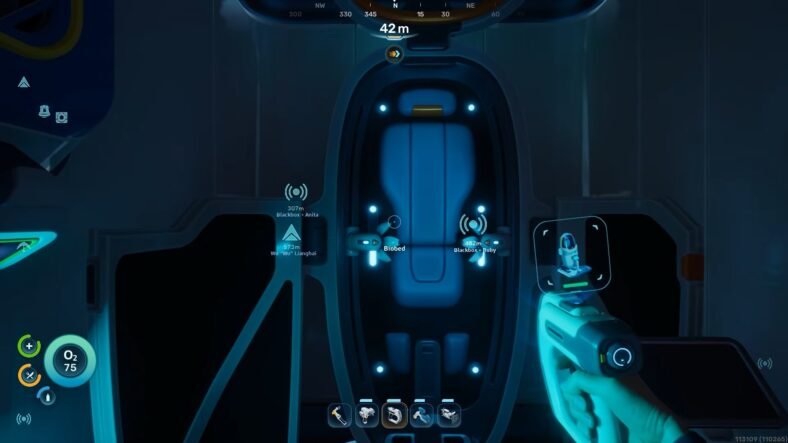
One useful location can be found while following the side missions connected to the black box signals. In this case, the area was linked to a mission called Blackbox Chap. After reaching the facility, you will eventually come across a Bio Bed inside the structure.
At first, many players only scan the Bio Bed with the scanner so they can build one later at their own base. Scanning it unlocks the ability to create a respawn point, which is already useful on its own. However, the real upgrade is easy to miss.
Next to the Bio Bed, there is a small console that you can interact with. Using this device gives your character a permanent inventory upgrade, increasing the number of slots you can carry.
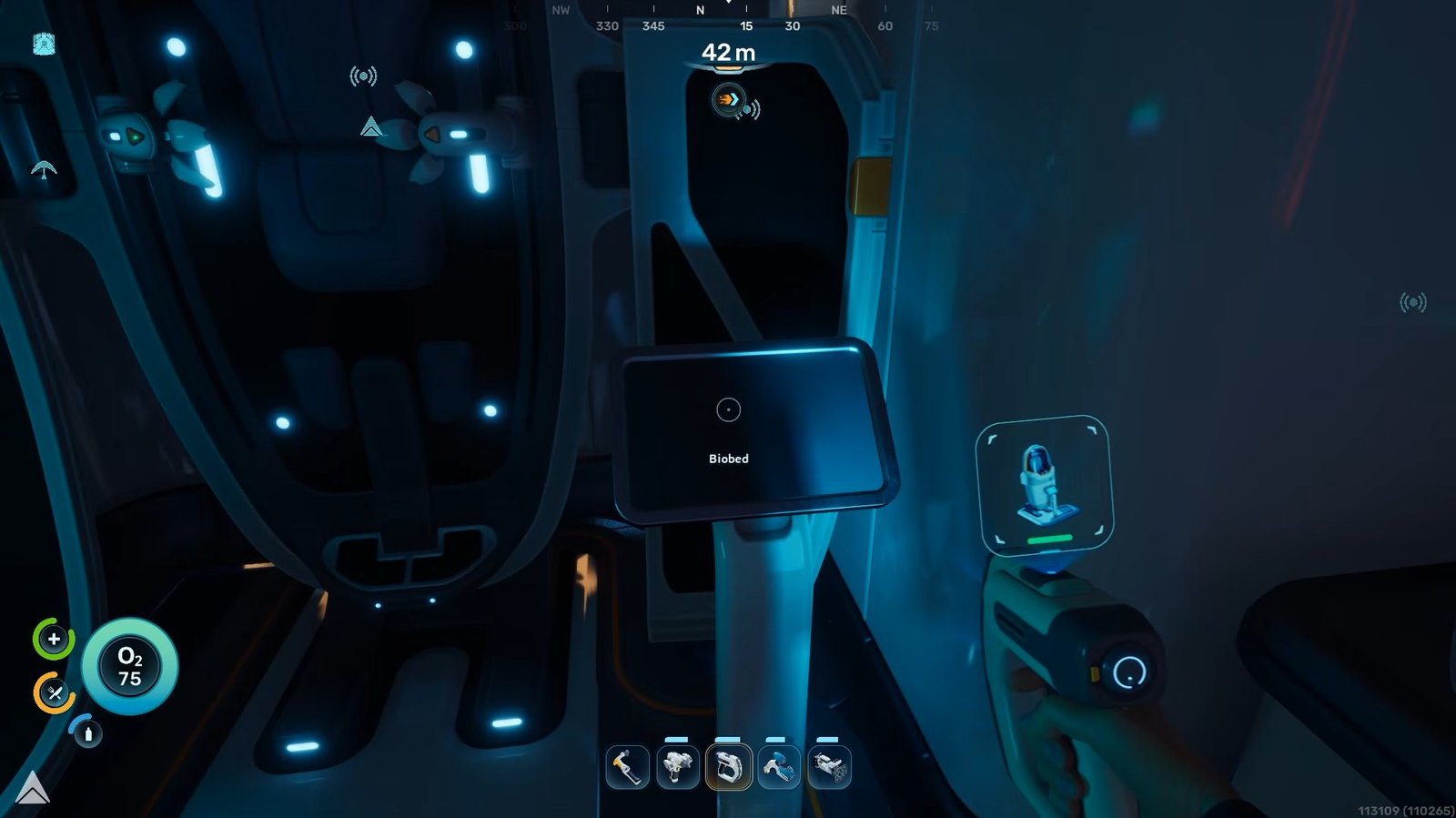
While exploring other underwater facilities, keep searching for Bio Beds that are still in good condition. Damaged or broken ones usually do not work, but functional beds often have the same type of console nearby. Interacting with these stations can continue increasing your storage space, making exploration much easier as the game progresses.
That is all for this guide. Additional Subnautica 2 guides are linked below:
- Subnautica 2 Healing Guide – How to Heal
- How to Get Food and Water in Subnautica 2
- Subnautica 2 Oxygen Guide – How to Replenish, Increase Maximum Oxygen
- Where to Get Silver in Subnautica 2
- How to Digest Food in Subnautica 2
- Subnautica 2 Upgraded Tools Guide – How to Get
This concludes our Subnautica 2 guide on how you can increase your inventory space in the game. If you want to add anything to this guide, feel free to use the comments section below.