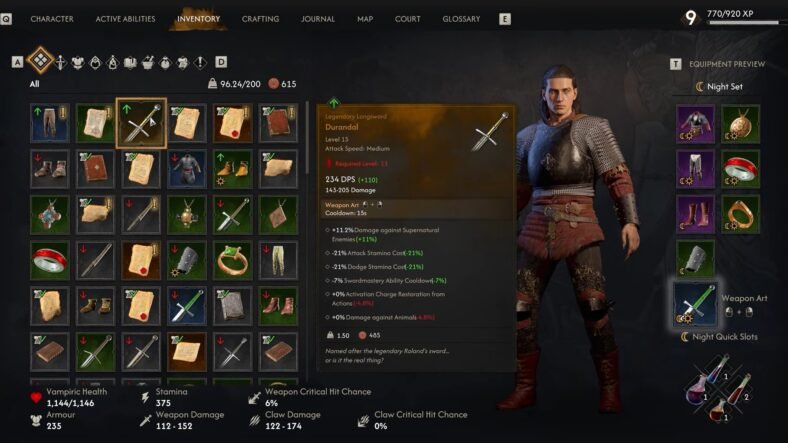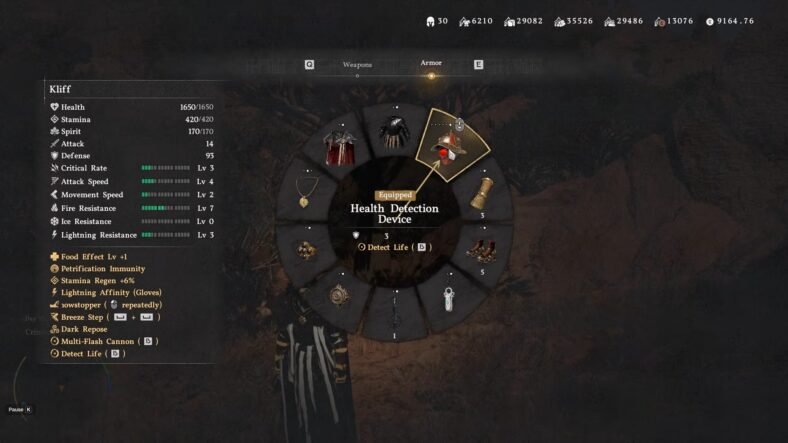
This Crimson Desert guide will tell you how you can see health bars for your enemies to make it easier to kill them. If you’ve ever wanted to clearly see how much damage you are dealing or know exactly when an enemy is about to go down, this hidden helmet is extremely useful. It gives you the ability to display enemy health bars, making combat much easier to track. It is very easy to miss if you are not exploring carefully.
Health Bars Guide – Crimson Desert
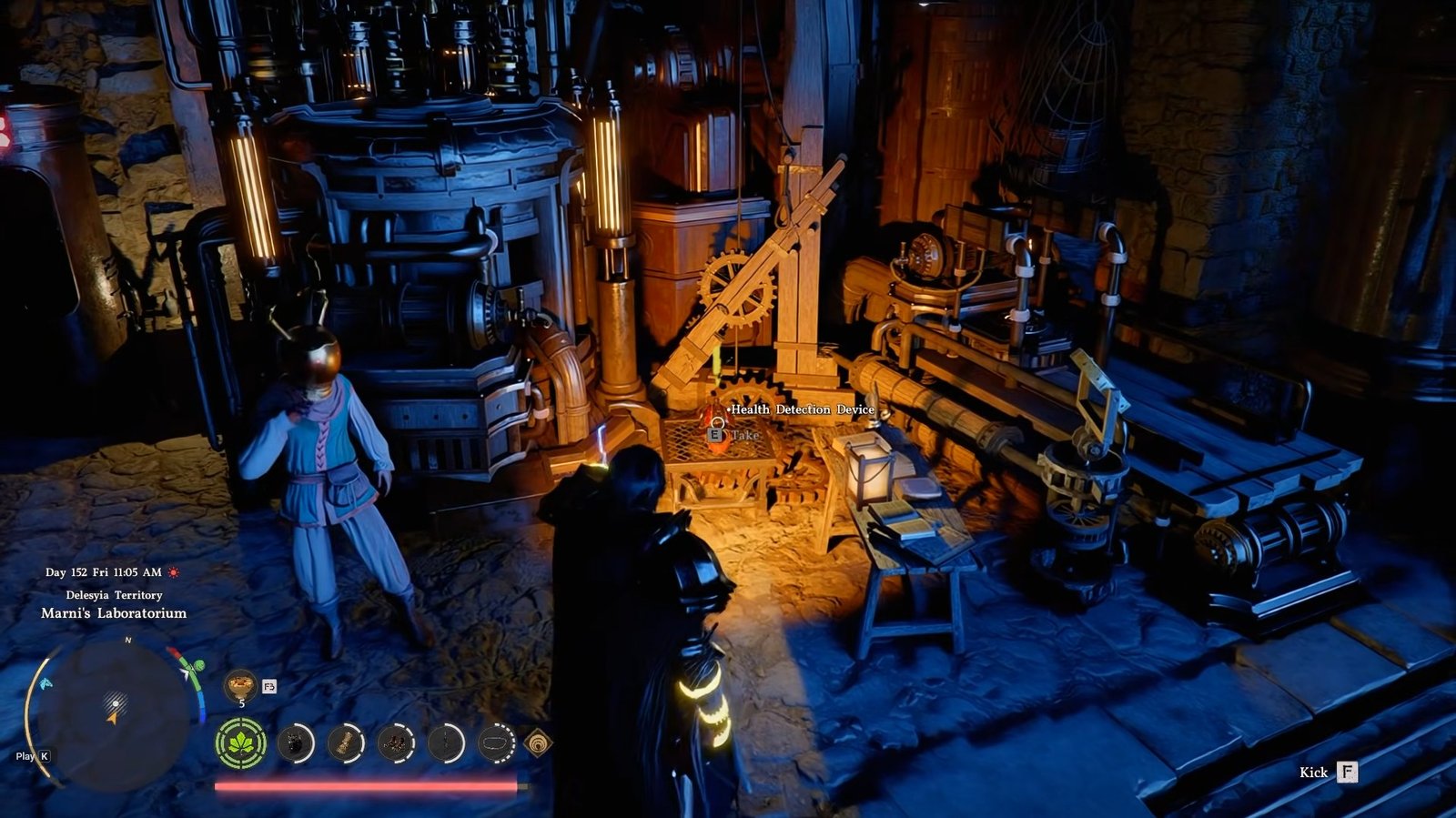
This item is located on the island to the right side of Delesyia, inside Marni’s Laboratorium.
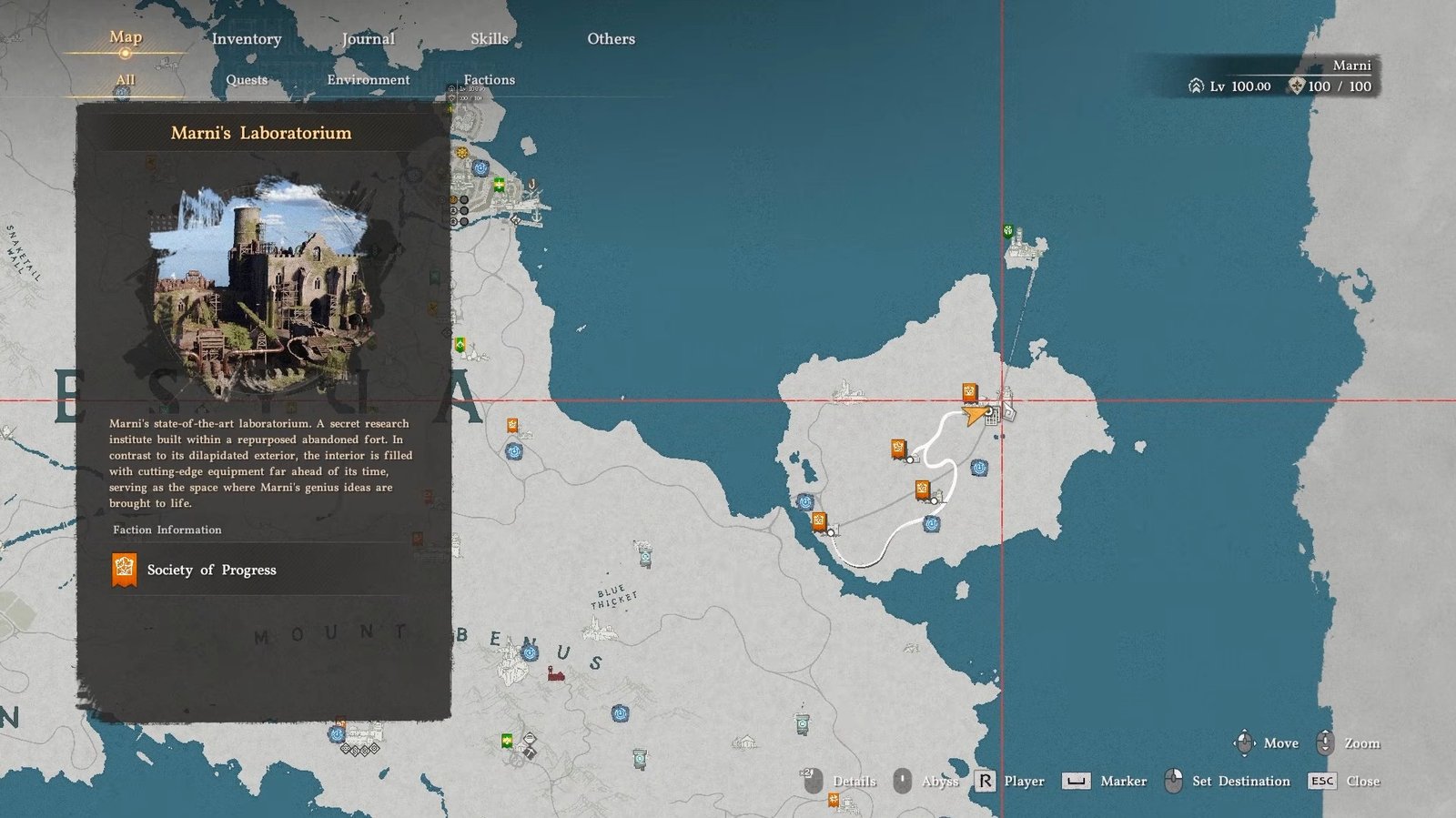
You can visit this area whether it is still filled with enemies or after you’ve cleared it out. Though it is obviously safer once the area is secure.
After that, head toward the main central building in the area.
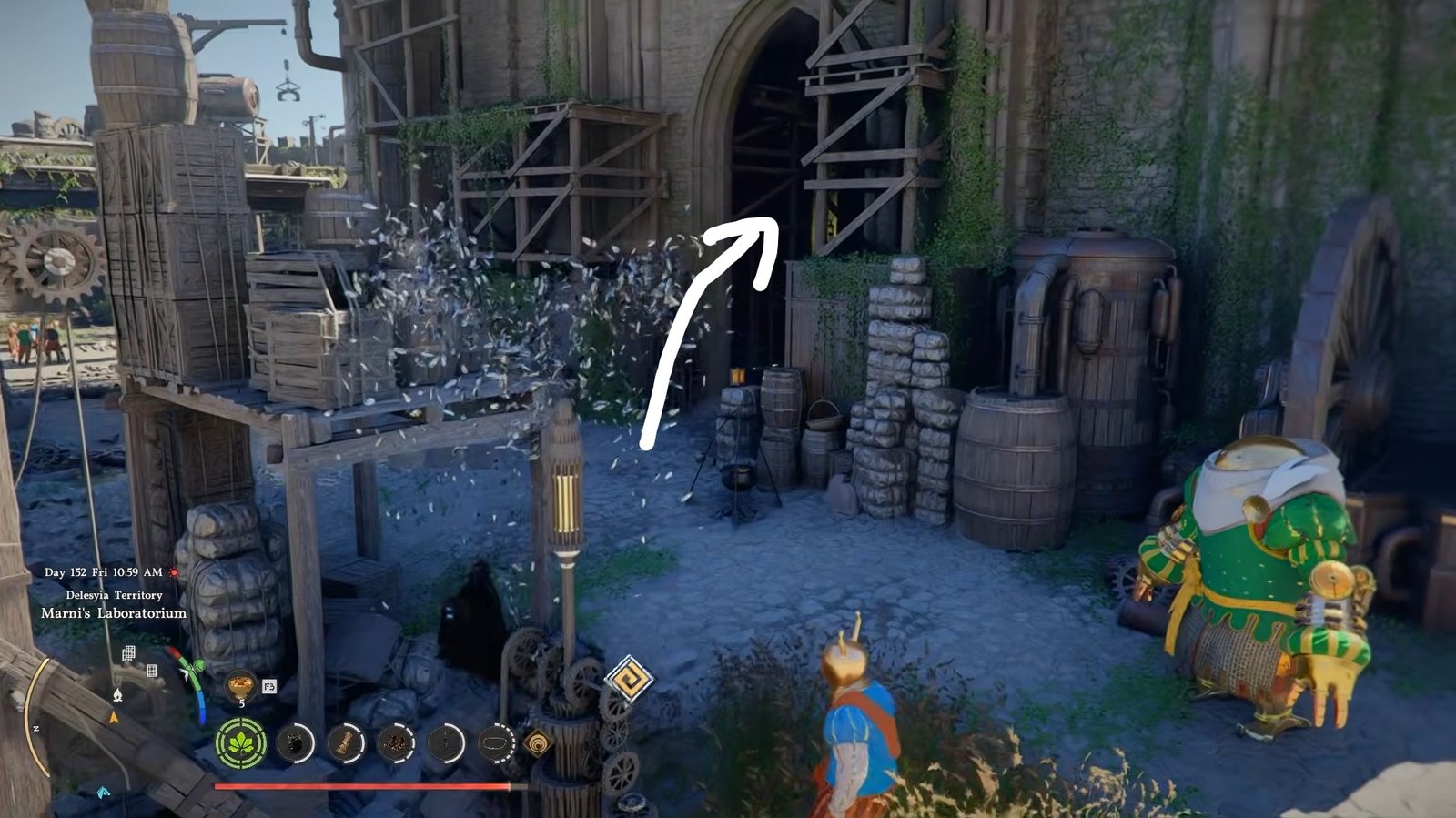
It is a large structure, so it is easy to recognize. Enter through the main door and move inside.
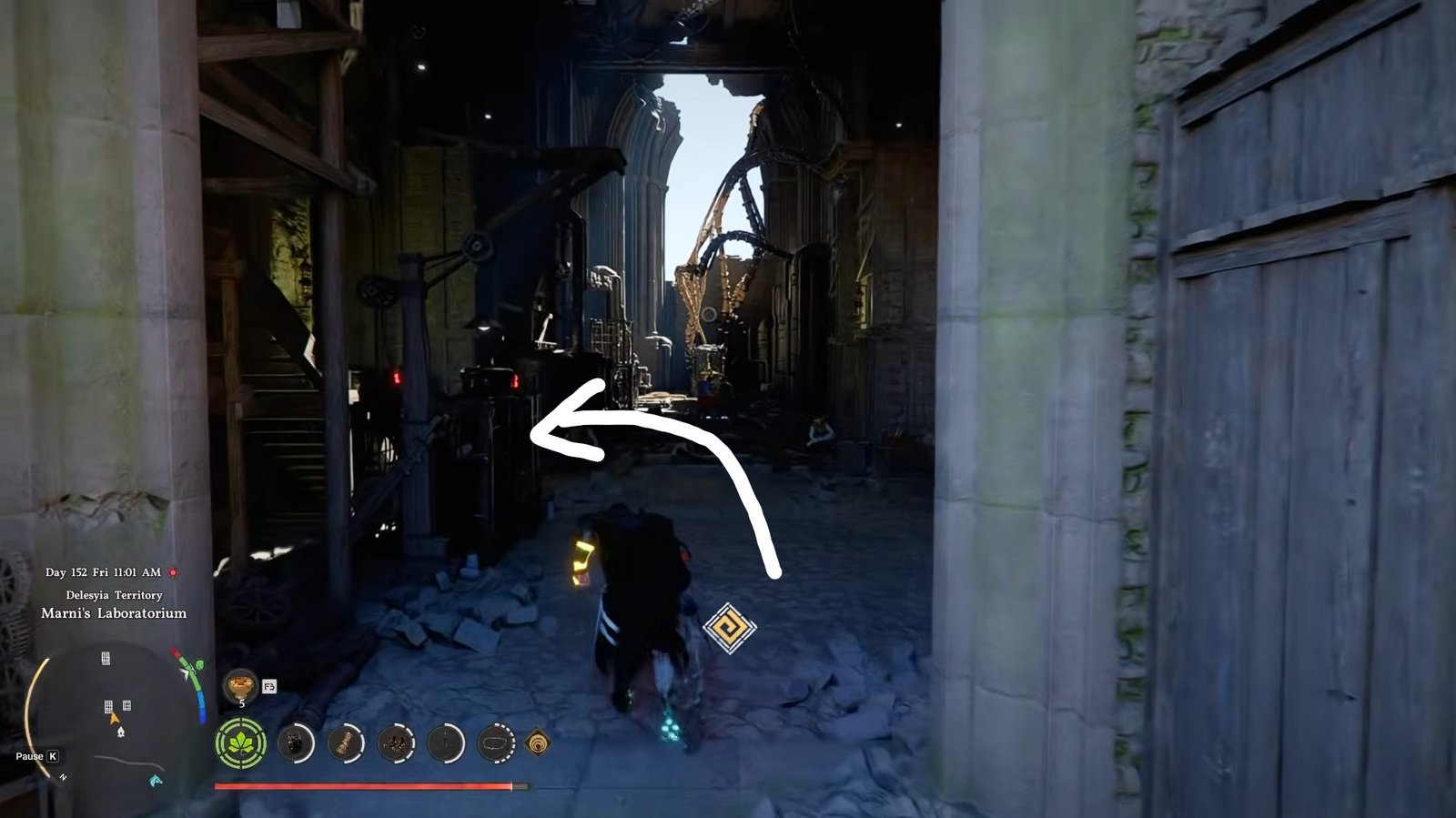
As soon as you are in, turn left and follow a narrow path that isn’t very noticeable at first glance.
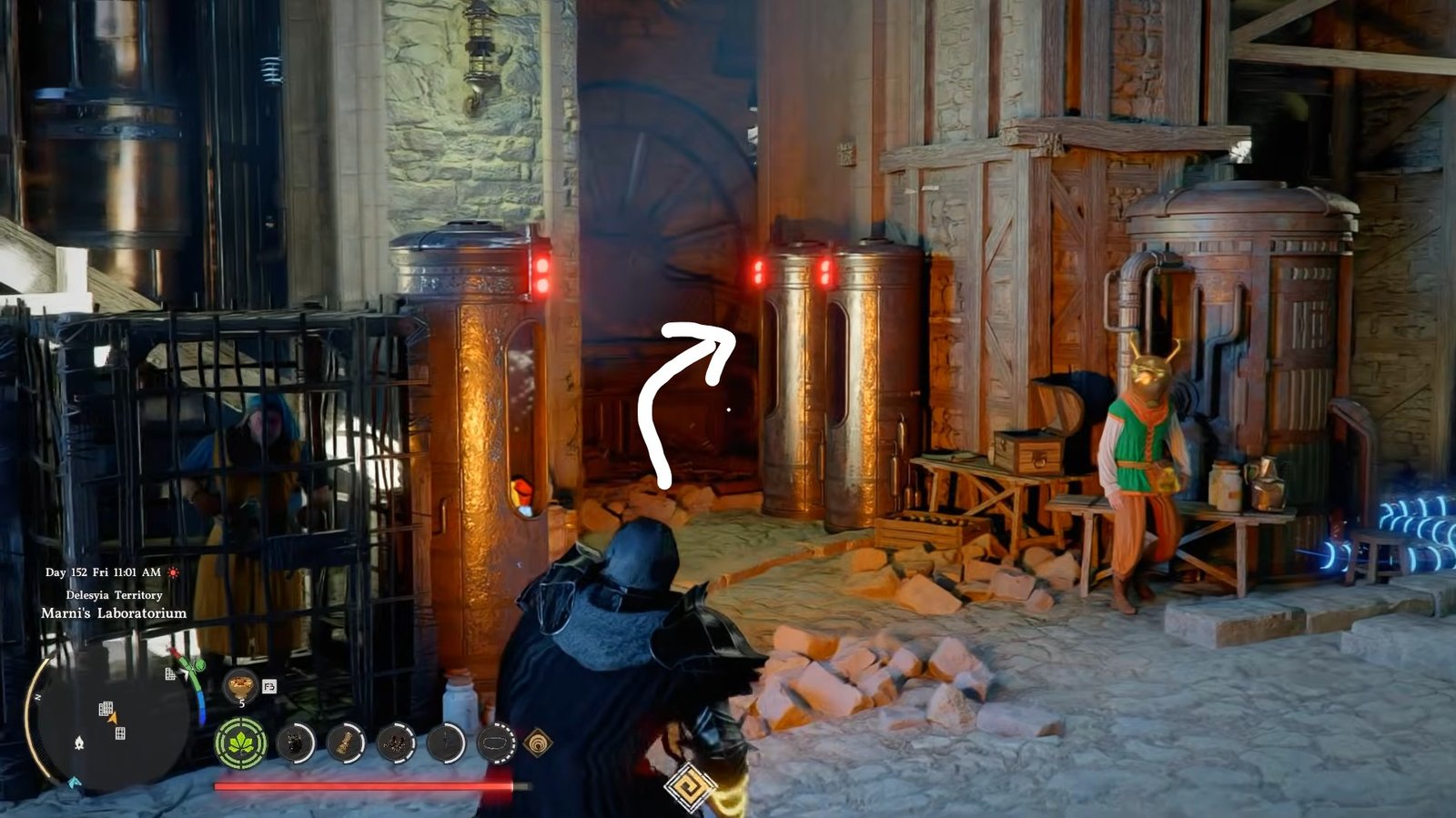
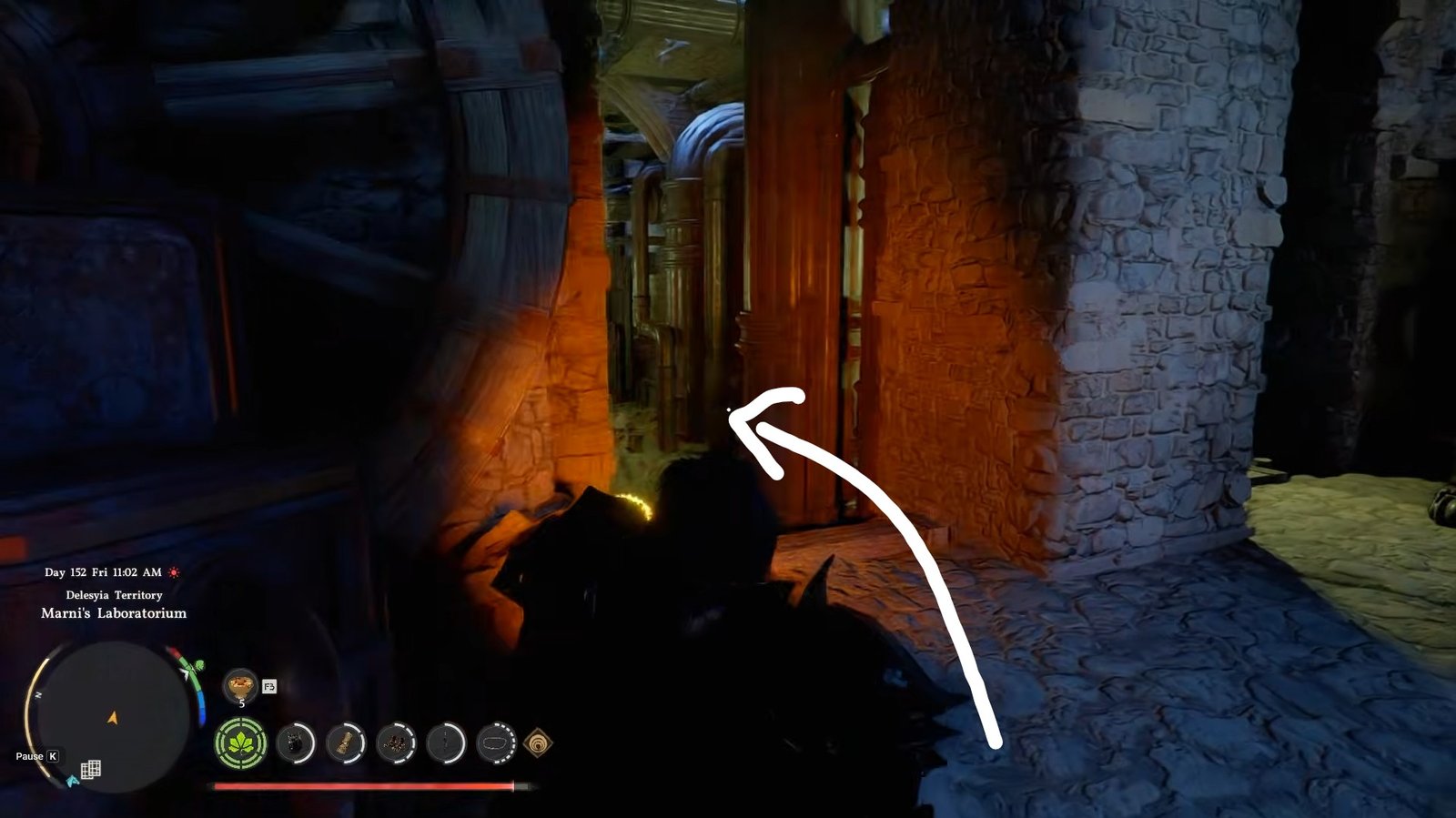
Continue down this path until you reach a small section with a few NPCs.
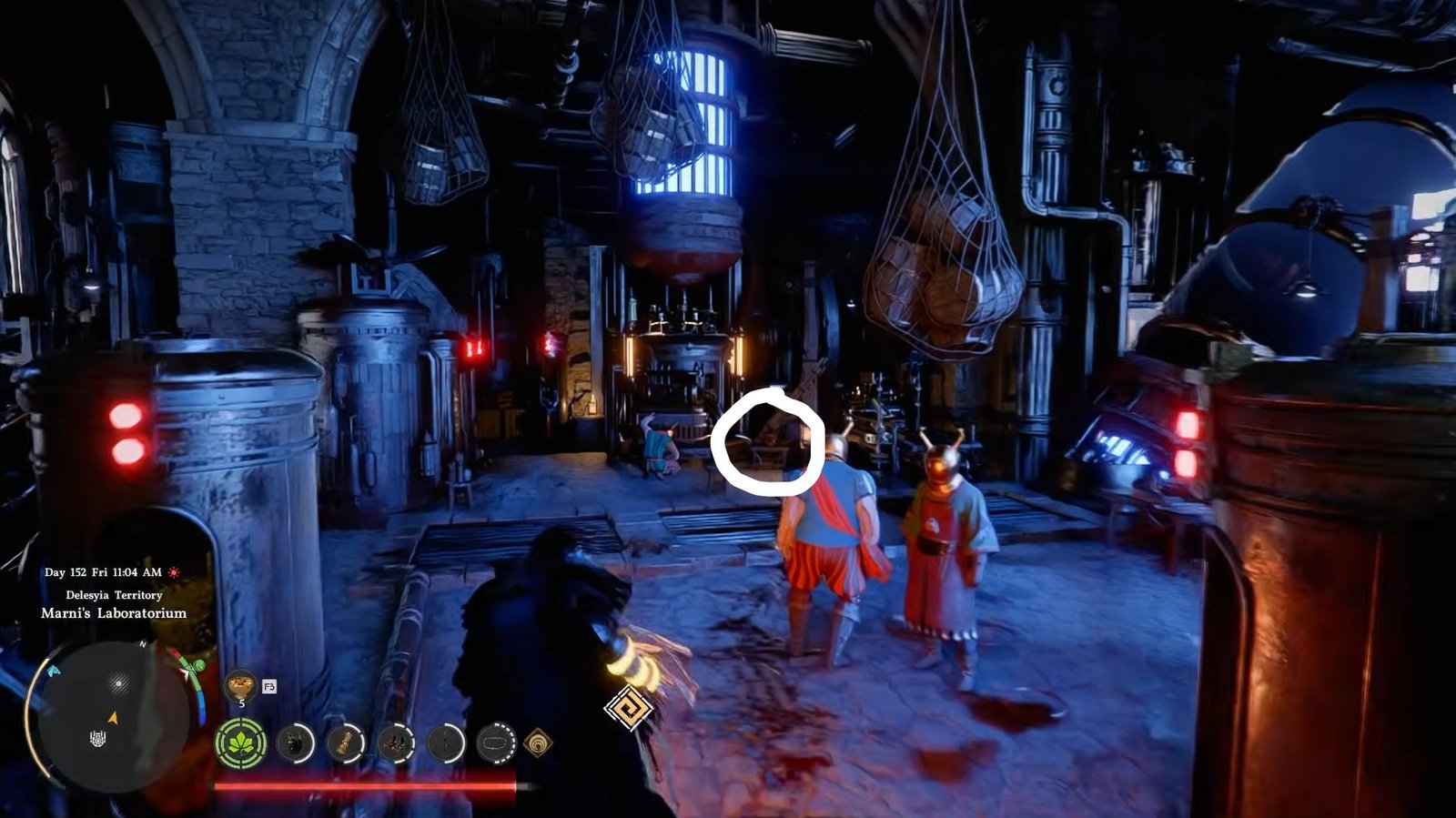
At this spot, an icon will appear; that is where you will find the item. Pick it up to obtain the helmet, often referred to as a health detection device.
How to Use the Helmet
After picking it up, you need to equip it like any other helmet. Once it is equipped, there is an additional step before it works.
Make sure you have the correct detection device selected from your tools. Then, use the assigned button to activate the ability. When you do this, nearby enemies will display their health bars above their heads.
What It Does
Once activated, you will be able to see exactly how much health enemies have left. As you attack, you can watch their health decrease in real time. This makes it much easier to judge how strong your attacks are and compare different weapons.
It is especially useful when testing builds or fighting tougher enemies, since you will know when you are close to finishing them off.
This helmet is a small but very helpful tool that improves combat awareness. If you like tracking your damage or want clearer information during battles, this is definitely worth picking up.
That is all for this guide. Additional Crimson Desert guides are linked below:
- Crimson Desert Red Seaweed Guide – How to Get, Unlock Max Stamina
- Crimson Desert Chillfallen Sword Guide – How to Get
- Crimson Desert Eastern Witch’s Fan Weapon Guide – How to Get
- Crimson Desert Kuku Breeze-Step Guide – How to Get
- Crimson Desert Kuku Rishi’s Boots Guide – How to Get
This concludes our Crimson Desert guide on how you can see health bars for your enemies. If you want to add anything to this guide, feel free to use the comments section below.